Overview of Home Design 3D Software: How To Use Home Design 3D Software Effectively
How to use Home Design 3D software effectively – Home Design 3D is a powerful tool that empowers users to visualize and create stunning home designs effortlessly. With an intuitive interface and a range of features, it caters to professionals and enthusiasts alike. This software allows users to draft floor plans, experiment with interior decor, and see their ideas come to life in 3D. The primary features of Home Design 3D software include an easy-to-use drag-and-drop interface, a comprehensive library of furniture and decor items, and robust 3D visualization capabilities.
Users can create detailed floor plans, customize spaces with various materials and textures, and generate realistic 3D renderings of their designs. The benefits of using Home Design 3D for home design projects are plentiful. It simplifies the design process, saves time, and enhances creativity by allowing users to visualize their ideas in real-time. Whether you are a homeowner looking to renovate or a professional designer working on client projects, this software is tailored to meet your needs.The target audience for Home Design 3D software includes homeowners, interior designers, architects, and students in design fields.
Its user-friendly interface and extensive resources provide valuable support for anyone looking to delve into home design without the steep learning curve of more complex software.
Installation and Setup
Installing Home Design 3D software is a straightforward process that can be completed in a few easy steps on various platforms.
- Visit the official website of Home Design 3D and navigate to the download section.
- Choose your preferred platform, whether it’s Windows, Mac, or mobile devices.
- Download the installation file and follow the on-screen instructions to complete the installation.
- Launch the application and proceed with the initial setup.
For optimal performance, ensure that your system meets the following requirements:
Operating System
Windows 10 or later / macOS Sierra or later
RAM
Minimum 4GB (8GB recommended)
Graphics Card
DirectX 11 compatible
Storage
At least 1GB of free disk spaceDuring the initial setup, users can customize their experience by adjusting preferences in the settings menu. Personalizing the interface can significantly enhance workflow and efficiency while using the software.
Navigating the User Interface
The user interface of Home Design 3D is designed to be intuitive and user-friendly. Key components include:
Toolbar
Contains essential tools for drawing, editing, and designing.
3D View Window
Displays the current design in a 3D perspective.
Library Panel
Offers a variety of objects and materials to incorporate into your design.To customize the toolbar for an efficient workflow, users can drag and drop frequently used tools into a preferred position. This adjustment allows for quicker access, especially during intricate design tasks. Mastering shortcuts is crucial for improved navigation within the software. Familiarizing yourself with key commands can greatly speed up the design process, allowing you to focus more on creativity rather than mechanics.
Creating a Floor Plan
Designing a new floor plan from scratch is a key feature of Home Design 3D. Begin by selecting the “Create New Project” option, followed by choosing the floor plan template that best fits your vision. Utilizing templates offers several advantages, such as saving time and providing a solid foundation to build upon. Start with a basic layout and modify it to suit your needs.When inputting measurements, accuracy is paramount.
Use the measurement tool to specify dimensions for walls and spaces. This precision ensures that the final design aligns with your spatial requirements.
Utilizing Design Tools
Home Design 3D is equipped with various design tools, each serving distinct purposes. Key tools include:
Wall Tool
For creating and modifying walls.
Window and Door Tools
Allow users to add openings in walls for natural light and access.
Furniture Tool
Enables the addition and arrangement of furniture within the space.Modifying objects is simple; select the item and use the properties panel to adjust its dimensions, position, or style. Layers play a crucial role in enhancing the design process and organization. They allow designers to separate different elements, making it easier to modify and manage complex projects.
Working with 3D Visualization
D visualization is essential in modern home design, as it helps clients and designers alike to visualize concepts before execution. Home Design 3D offers powerful rendering options that significantly impact project presentations. Users can switch between 2D and 3D views seamlessly, allowing for a comprehensive look at the design from multiple angles. This capability is essential during the design process, ensuring that both technical aspects and visual aesthetics are considered thoroughly.
Interior Design Features
Selecting and applying different materials and textures to surfaces is a fundamental aspect of interior design within Home Design 3D. The software provides a rich library of options that can be easily applied by dragging and dropping onto surfaces.Setting up lighting is another critical feature. Users can experiment with various lighting styles and placements to create the desired ambiance for each room.
Understanding the impact of lighting on space perception can lead to more inviting and functional designs.Arranging furniture and decor strategically is vital for optimal space utilization. Using the software’s snapping and alignment tools makes it easier to achieve a balanced and harmonious layout that enhances both functionality and aesthetics.
Saving and Exporting Projects, How to use Home Design 3D software effectively
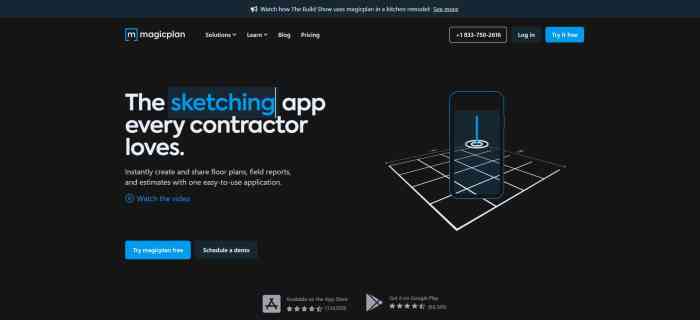
To save projects securely, users should regularly utilize the “Save” function to prevent data loss. Managing different versions of a project can be done by using the “Save As” option and naming files distinctly to avoid confusion.Home Design 3D offers various exporting options, allowing users to share their designs in formats such as PDF, image files, or even 3D models.
This flexibility is beneficial for collaboration with clients or team members.Additionally, integrating cloud storage offers advantages for project access and collaboration. This feature allows users to work on projects from any location and on multiple devices, making it easier to stay connected and updated.
Tips for Effective Use
Common mistakes made by new users often include overlooking the importance of saving work frequently and not exploring all available tools. To avoid these pitfalls, establish a routine for saving and take time to familiarize yourself with the full range of features.Maintaining organization throughout the design process is crucial. Proper naming conventions for layers and objects can save time and reduce confusion during project development.Continuous learning is essential in mastering Home Design 3D.
Utilizing community resources, such as forums and tutorial videos, can provide valuable insights and tips from experienced users, helping you elevate your design skills further.
Resources and Support
For further learning, a variety of tutorials and guides are available on the Home Design 3D website, covering everything from basic features to advanced techniques. Engaging with forums and communities can also be beneficial, as users can share experiences and seek help from fellow designers. Platforms like Reddit or specialized design forums are great places to connect with others.Customer support is readily accessible through the official website, offering assistance via chat or email.
This reliable support system ensures that users can resolve issues promptly and continue their design journey without significant interruptions.